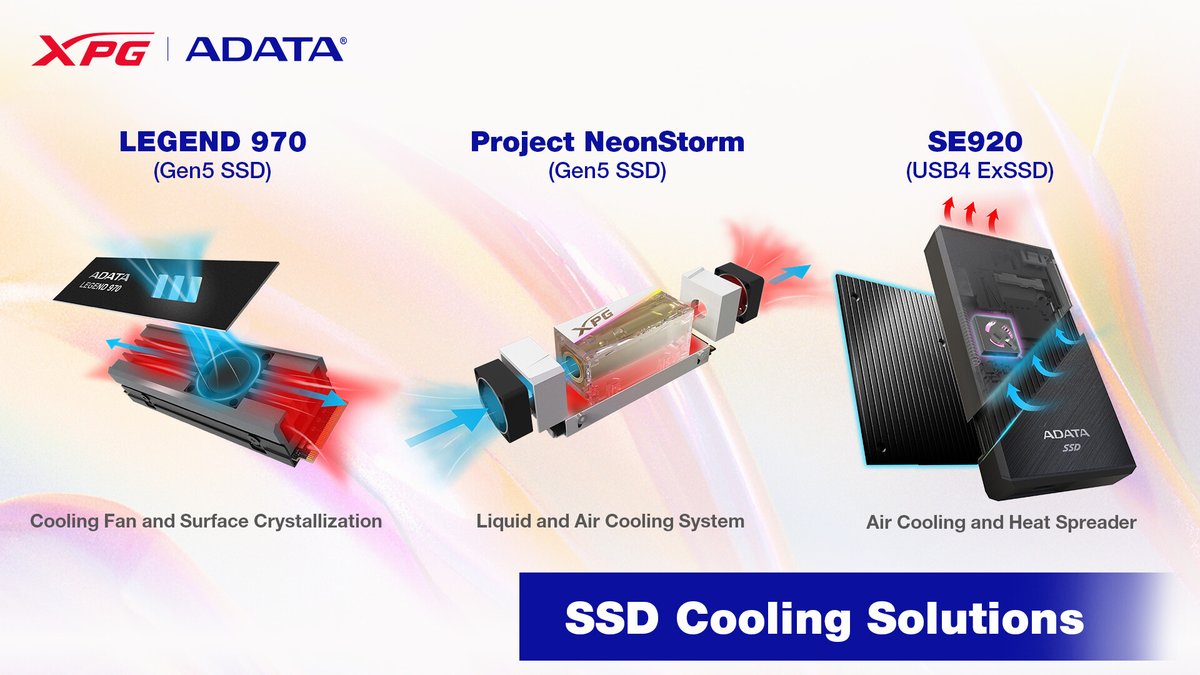
Your NVMe SSD is a speed demon, a tiny powerhouse designed to crunch data faster than you can say "loading screen." But like any high-performance component, it generates heat. And if that heat isn't managed effectively, your blazing-fast drive can quickly turn into a throttled tortoise, slowing down performance, potentially shortening its lifespan, and compromising the very speed you paid for. This isn't just a concern for the latest PCI-e Gen 5 SSDs, which run incredibly hot, but increasingly for earlier generations under sustained load too. Understanding the Types of SSD Heatsinks and Cooling Solutions available is crucial for anyone looking to unlock and maintain their drive's optimal performance.
Even professional gamers and content creators, pushing their systems to the limit, often overlook SSD cooling until they hit a wall of lag or data transfer slowdowns. But it doesn't have to be a mystery. Let's demystify SSD cooling and help you pick the perfect solution.
At a Glance: Key Takeaways
- Modern SSDs (especially PCI-e Gen 5) require effective cooling to prevent thermal throttling and maintain peak performance.
- Passive heatsinks rely on surface area to dissipate heat silently, ideal for lighter workloads or well-ventilated cases.
- Active heatsinks incorporate fans or blowers for significantly better cooling (10-30°C temperature drops), crucial for heavy users and Gen 5 drives.
- Key factors for selection include cooling efficiency, thermal pad quality, fan speed/noise, material, compatibility (SSD size, motherboard clearance), and ease of installation.
- Don't just rely on motherboard heatsinks for Gen 5 SSDs; they are often insufficient.
- Top solutions range from low-profile passive options like the Iceberg Thermal IceFLOE to high-performance active ones like the Thermalright HR-10 Pro and even exotic AIO solutions.
Why Your Speedy SSD Needs a Chill Pill: The Heat Problem Explained
Imagine a marathon runner who overheats halfway through the race – they have to slow down or even stop. Your SSD works similarly. Modern NVMe SSDs, particularly the cutting-edge PCI-e Gen 5 models, operate at incredibly high speeds, moving vast amounts of data in fractions of a second. This intense activity, especially when reading or writing large files, causes the controller and NAND flash chips to generate a significant amount of heat. For instance, controllers like the Phison E26, common in Gen 5 drives, have a TJ Max (maximum junction temperature) of 125°C.
When an SSD's temperature approaches its critical threshold, a mechanism called "thermal throttling" kicks in. The drive intentionally slows down its operations to reduce heat, protecting itself from damage. This means your "blazing-fast" drive suddenly performs like an older, slower model. Beyond performance dips, consistently high temperatures can also degrade the SSD's components over time, reducing its overall lifespan and reliability. For gamers experiencing stuttering during intense sessions or content creators facing frustratingly slow render times, unmanaged SSD heat is often an overlooked culprit.
The Big Picture: Passive vs. Active Cooling
When it comes to keeping your SSD cool, you essentially have two main approaches: passive and active cooling. Each has its strengths, weaknesses, and ideal use cases.
Passive Cooling: The Silent Guardians
Passive cooling solutions are the quiet workhorses of heat management. They operate without any moving parts, relying entirely on the principles of thermal conduction and convection.
How They Work: A passive heatsink is typically a block of highly thermally conductive material (like aluminum or copper), often featuring fins or grooves to increase its surface area. This heatsink attaches directly to the SSD via a thermal pad. Heat generated by the SSD transfers into the heatsink, which then dissipates it into the surrounding air. The effectiveness of a passive heatsink depends heavily on the thermal conductivity of its materials, the size of its surface area, and the airflow within your PC case.
Pros:
- Silence: No moving parts means absolutely no noise.
- Reliability: Fewer components mean less to break down.
- Low Power: No additional power consumption required.
- Cost-Effective: Generally more affordable than active solutions.
- Compact: Often have a lower profile, making them suitable for tighter builds.
Cons: - Limited Cooling Capacity: Their ability to shed heat is capped by ambient airflow and surface area. In systems with poor airflow or with very hot Gen 5 SSDs, they might not be enough to prevent throttling.
- Reliance on Case Airflow: Their performance is heavily dependent on how well your PC case is ventilated.
Examples:
Most motherboards come with integrated M.2 heatsinks, which are typically passive. While these might suffice for PCI-e Gen 3 or some Gen 4 SSDs under moderate loads, they are often inadequate for PCI-e Gen 5 drives or demanding workloads, as noted bywccftech.com. Aftermarket passive heatsinks, like the Iceberg Thermal IceFLOE, offer improved performance over basic motherboard solutions. The IceFLOE is particularly recommended for everyday PCI-e 5 users seeking a low-profile, affordable passive option that can handle most workloads when paired with good CPU cooling and case airflow. The Acidalie VB01 is another robust low-clearance passive heatsink featuring two copper heatpipes and a radiator, designed to minimize compatibility issues with bulky GPUs like the RTX 4090.
Active Cooling: Bringing the Breeze (and Power)
Active cooling solutions take heat management a step further by actively moving air or liquid to dissipate heat. These are the heavy hitters, essential for enthusiasts, professionals, and anyone running the latest, hottest SSDs.
How They Work: Active heatsinks typically combine a traditional passive heatsink structure with one or more integrated fans or blowers. These fans actively draw cooler air over the heatsink fins and exhaust hot air, dramatically accelerating the heat dissipation process. Some advanced active solutions also incorporate heatpipes, often made of copper, which efficiently transfer heat from the SSD to a larger fin array where a fan can then cool it. More exotic solutions even use liquid cooling.
Pros:
- Superior Cooling Capacity: Capable of significantly lowering SSD temperatures (often 10°C-30°C reduction, according to
pcpartsgeek.com), effectively preventing thermal throttling even under sustained heavy loads. - Essential for Gen 5 SSDs: For high-performance PCI-e Gen 5 drives, active cooling is virtually a necessity to maintain peak speeds.
- Consistent Performance: Provides more consistent cooling regardless of ambient case airflow (though good case airflow still helps).
Cons: - Noise: Fans generate noise, though PWM-controlled fans can minimize this by adjusting speed based on temperature.
- Power Consumption: Requires power, typically from a motherboard fan header.
- Size: Can be larger and taller than passive heatsinks, potentially interfering with other components (like large GPUs or CPU coolers).
- Points of Failure: Fans have moving parts that can wear out over time.
Examples: - Thermalright HR10 2280 PRO SSD Heatsink: A standout active cooler, featuring advanced AGHP technology with four 5mm heatpipes and a compact PWM fan (3500-6000 RPM). It can lower temperatures by 10°C-30°C and is compatible with single and double-sided PCI-E 5.0 SSDs, making it a top recommendation for professionals with intensive workloads.
- EZDIY-FAB ARGB M.2 SSD Heatsink with PWM Fan: This premium option combines high performance (5°C-30°C temp reduction) with aesthetics, featuring a ball-bearing fan up to 13,000 RPM, a 60,000-hour lifespan, and ARGB lighting.
- Thermaltake MS-1 M.2 SSD Cooler with Micro Blower Fan: Features a powerful 8000 RPM micro blower fan, a high-quality aluminum heatsink, and a Ø6 mm copper heatpipe for efficient cooling.
- Jiushark M.2-Three: Described by
wccftech.comas offering "absolute best" cooling performance, though it's significantly large (akin to a CPU AIO block) and might require importing outside Asia. - Teamgroup Siren Duo 360 AIO: An exotic, niche AIO solution that cools both your CPU and SSD with a single liquid loop, providing ultimate cooling but at a premium cost and complexity.
Drilling Deeper: Key Features and What to Look For
Choosing the right SSD heatsink isn't just about picking active or passive. Several critical features and specifications determine effectiveness and compatibility.
Cooling Efficiency: More Than Just a Number
The primary goal of any heatsink is to transfer heat away from your SSD. When evaluating efficiency, look for:
- Advertised Temperature Drops: Many active heatsinks boast reductions of 10°C to 30°C. This range indicates a substantial improvement over an uncooled or poorly cooled drive.
- Thermal Interface Material (TIM): This is crucial. High-quality thermal pads (or paste) ensure efficient heat transfer from the SSD's hot components to the heatsink. Look for thermal pads with a high thermal conductivity rating, such as 14.8 W/mK or higher. Materials like copper (used in heatpipes) and aluminum (for the heatsink body) offer excellent thermal conductivity, ranging from 2 W/mK for basic aluminum up to over 200 W/mK for high-grade copper.
- Heatpipe Technology: For active coolers, copper heatpipes (e.g., Ø6 mm) significantly enhance heat transfer efficiency, moving heat rapidly from the SSD to the larger fin array where it can be dissipated.
Fan Dynamics: Speed, Sound, and Longevity
For active cooling, the fan is a key component.
- RPM (Revolutions Per Minute): This indicates how fast the fan spins. Higher RPMs generally mean more airflow and better cooling, but also more noise. Some fans can reach up to 13,000 RPM.
- PWM (Pulse Width Modulation) Control: This is a crucial feature. PWM fans can adjust their speed based on the SSD's temperature, ramping up when needed and slowing down when idle or cool. This helps minimize noise when maximum cooling isn't required. Expect noise levels to range from a quiet 30 dB to over 50 dB at full blast for some units.
- Bearing Type: Ball-bearing fans are generally preferred. They tend to be quieter, more durable, and have a longer lifespan (often rated for 60,000 hours or more, as seen in EZDIY-FAB models).
Design and Materials: Form Meets Function
The physical construction of a heatsink directly impacts its performance and durability.
- Heatsink Material: High-density aluminum alloy is a common choice due to its balance of thermal conductivity, lightness, and affordability. It also offers good corrosion and wear resistance. Copper is superior for thermal conductivity but heavier and more expensive, often reserved for heatpipes.
- Finish: Anodized or powder-coated finishes can provide extra protection against corrosion and wear, while also enhancing aesthetics.
- Backplate: A stainless steel backplate helps prevent the SSD from bending or warping under pressure, especially important for double-sided SSDs.
- Aesthetics: For many builders, the look of a component matters. Features like ARGB lighting (e.g., EZDIY-FAB) or sleek black/silver finishes can complement your PC's overall aesthetic.
Compatibility is King: Measure Twice, Buy Once
Nothing is more frustrating than buying a component only to find it doesn't fit.
- SSD Form Factor: The most common is M.2 2280 (22mm wide, 80mm long), but always check your SSD's specific size. Some heatsinks are designed to accommodate multiple sizes (e.g., 2230, 2242, 2260, 2280).
- Single-Sided vs. Double-Sided SSDs: Some SSDs have components on only one side (single-sided), while others have them on both (double-sided). Ensure your chosen heatsink is compatible, as some require specific clearances or thermal pad arrangements for double-sided drives.
- Motherboard Clearance: This is critical. Some heatsinks, especially the taller active ones or those with large fins, might interfere with your GPU, other PCI-e cards, or even large CPU air coolers. Be particularly wary if you have an ITX motherboard with a back-mounted M.2 slot, as some heatsinks are explicitly not compatible.
- PCI-E Protocol: While most heatsinks are physically compatible with various PCI-E generations, the need for cooling is higher for PCI-E 5.0 SSDs.
- Casing Dimensions: Ensure the entire heatsink assembly (including any fans) fits comfortably within your PC case.
Installation Matters: From Novice to Pro
While generally straightforward, installation still requires care.
- Thermal Pads/Paste: Proper application is key. Ensure the thermal pad makes full contact with the SSD's hot components and the heatsink. Some kits include pre-cut pads; others may require you to trim them.
- Mounting Hardware: Heatsinks typically use screws, clips, or a combination. Ensure all hardware is included and that you have the right tools (a small screwdriver is often provided).
- SSD Height and Thickness: Some heatsinks are designed for specific SSD thicknesses. Double-check this, especially for double-sided drives which are inherently thicker.
- Follow Guidelines: Always adhere to the manufacturer's installation instructions to ensure optimal contact and avoid damage.
Top Contenders: A Closer Look at Recommended Solutions
Based on expert analysis and user experience, here are some standout cooling solutions catering to different needs and budgets:
- For Everyday Users (PCI-e 5) & Low Clearance Passive: Iceberg Thermal IceFLOE
- Why it's great: This passive heatsink offers a small profile for broad compatibility and is surprisingly effective for most PCI-e Gen 5 workloads, provided your system has decent overall airflow (especially around your CPU cooler). It's incredibly affordable and a solid upgrade over basic motherboard heatsinks.
- Considerations: Still passive, so won't match active coolers for extreme sustained loads.
- Low Clearance & Active Cooling: Thermalright HR-10 Pro
- Why it's great: The
wccftech.comguide praises this as one of the best for modern SSDs, especially for professionals. It boasts a moderate 10mm height, making it more compatible with tight builds than many other active coolers, while still packing an integrated fan and advanced heatpipe technology (AGHP with four 5mm copper heatpipes).pcpartsgeek.comalso highlights its 10-30°C temperature reduction. - Considerations: Still requires checking clearance, especially for ITX boards with back-mounted M.2 slots.
- Absolute Best Performance: Jiushark M.2-Three
- Why it's great: If uncompromising cooling performance is your absolute priority, this is the one.
wccftech.comhails it as the best for raw cooling power. - Considerations: Its sheer size (comparable to a CPU AIO block) means significant clearance issues are likely. It's also harder to find outside Asia, potentially requiring importing.
- Premium Active Cooling Examples:
- EZDIY-FAB ARGB M.2 SSD Heatsink with PWM Fan: This unit brings both serious cooling (up to 13,000 RPM fan) and vibrant ARGB aesthetics. With its premium aluminum alloy and ball-bearing fan, it’s built for performance and durability.
- Thermaltake MS-1 M.2 SSD Cooler with Micro Blower Fan: Excellent for systems that need a strong directed airflow, thanks to its 8000 RPM micro blower and Ø6mm copper heatpipe. Its integrated design ensures robust performance and longevity.
- ASTARON M.2 SSD Heatsink with Nano Thermal Pads: While potentially offering slightly less aggressive cooling (10-20°C reduction) than some fan-heavy models, its aluminum alloy construction and unique design prioritize airflow, which can contribute to overall SSD longevity, especially in cases with good ambient airflow. It's also widely compatible, supporting both single and double-sided NVMe M.2 SSDs.
- Exotic Integrated Solution: Teamgroup Siren Duo 360 AIO
- Why it's great: For the ultimate enthusiast who wants to cool everything in one go, this AIO solution cools both your CPU and your M.2 SSD simultaneously. It's a statement piece offering top-tier performance for both components.
- Considerations: Niche product, high cost, and complex installation. Requires a case that can accommodate a 360mm radiator.
Choosing Your Champion: A Decision Framework
With so many options, how do you pick the right one? Ask yourself these questions:
- What SSD Do You Have?
- PCI-e Gen 3 or Older: A passive heatsink (even a good motherboard one) is likely sufficient for most uses.
- PCI-e Gen 4: A good passive heatsink or a basic active one is often ideal, especially if you do frequent large file transfers or heavy gaming.
- PCI-e Gen 5: Almost certainly needs dedicated active cooling to perform at its best. Don't rely on basic motherboard heatsinks here.
- What's Your Workload?
- Everyday Browsing/Office Work: Passive is fine.
- Heavy Gaming/Content Creation/Large File Transfers: Active cooling is highly recommended to prevent throttling and ensure consistent performance. This is where a 10-30°C temperature drop really matters.
- What Are Your System's Constraints?
- Case Size: Smaller cases (like ITX builds) demand low-profile solutions. Tall active heatsinks might not fit.
- GPU Clearance: If you have a massive graphics card (e.g., an RTX 4090), you'll need a low-profile heatsink, possibly one like the Acidalie VB01 or Thermalright HR-10 Pro, to avoid interference.
- Motherboard M.2 Placement: Some M.2 slots are directly under the GPU, limiting space. Others might be in less ideal thermal spots.
- What's Your Budget vs. Performance Expectation?
- More efficient active cooling solutions (multiple heatpipes, high RPM PWM fans, high-conductivity thermal pads) will generally cost more but deliver superior thermal performance. A 10°C-30°C temperature reduction is a key indicator of value here.
- For basic needs, an affordable passive solution might be all you need.
- How Sensitive Are You to Noise?
- If absolute silence is paramount, stick to passive cooling.
- If you can tolerate some fan noise (or rely on PWM to keep it minimal), active cooling offers a significant performance boost. Ball-bearing fans are a good compromise for noise and longevity.
- Do Aesthetics Matter?
- ARGB lighting, sleek finishes, and specific designs can elevate your PC's look. If your build is visible, consider a heatsink that complements its style.
Common Myths and Misconceptions About SSD Cooling
Let's clear up some lingering doubts you might have:
- "All SSDs need a heatsink." Not true. Many older or lower-performance Gen 3 SSDs, especially under light usage, generate minimal heat and often perform perfectly fine without any heatsink. The need escalates significantly with Gen 4 and becomes almost mandatory for Gen 5 drives.
- "My motherboard's included heatsink is always enough." While convenient, motherboard heatsinks are often basic passive solutions. For PCI-e Gen 5 SSDs, or even Gen 4 drives under heavy, sustained workloads (think large file transfers, intense gaming sessions, or video editing), these basic heatsinks are frequently inadequate to prevent throttling. As
wccftech.compoints out, the era of "free" effective M.2 cooling from the motherboard is largely over for high-end drives. - "Passive cooling is completely silent and always good enough." Passive cooling is indeed silent, which is a major advantage. However, it's not always "good enough." Its effectiveness is limited by ambient airflow and its own surface area. In a poorly ventilated case or with a very hot SSD, a passive heatsink can become saturated and lose its effectiveness, leading to throttling.
- "Active cooling is always noisy." While any fan generates some noise, modern active heatsinks with PWM-controlled fans are designed to manage this. They only spin up to higher RPMs when needed, staying quiet during idle or light tasks. Ball-bearing fans also contribute to quieter operation and longer life.
Beyond the Heatsink: Optimizing Your Overall System Airflow
Remember, an SSD heatsink doesn't operate in a vacuum. It's part of your PC's overall cooling ecosystem. Even the best heatsink will struggle if your case airflow is poor.
- Good Case Fans: Ensure you have enough intake and exhaust fans, properly oriented to create a positive or neutral pressure system, pushing cool air in and hot air out.
- Cable Management: Neatly routed cables don't just look good; they prevent obstructions to airflow, allowing cooler air to reach all your components, including your SSD.
- CPU Cooler: A powerful CPU cooler can sometimes pull air away from adjacent M.2 slots, incidentally aiding in SSD cooling, as noted by
wccftech.comregarding the Iceberg Thermal IceFLOE.
The Bottom Line: Don't Let Your Performance Burn Out
Your SSD is a vital component, and for many, it's the heart of their system's speed. Investing in the right cooling solution is no longer an optional upgrade; for high-performance drives and demanding workloads, it's a necessity. By understanding the Types of SSD Heatsinks and Cooling Solutions available, considering whether passive or active cooling suits your needs, and carefully evaluating factors like efficiency, compatibility, and design, you can ensure your SSD stays cool, performs optimally, and lives a long, healthy life. Don't let heat be the bottleneck holding back your PC's true potential.